What makes a story video work (with any tool)
Short story videos that hold attention almost always have the same skeleton. Viewers can swipe away at any moment, so the story has to start in the middle of something strange and explain itself afterwards. These are the six beats we build every story around:
| Beat | What it does | Rough share of a 60 s video |
|---|---|---|
| Hook | Shows the strangest moment first, in one or two short lines. No greeting, no setup. | First 3 to 5 seconds |
| Rule | Explains the one impossible rule of this world in a single sentence. | A few seconds |
| Examples | Three quick, everyday consequences of the rule, so the world feels lived in. | About 10 seconds |
| Turn | Something changes: a test, a competition, a mistake, a new character. | A few seconds |
| Escalation | The rule makes things worse and worse for the narrator. | Most of the middle |
| Payoff | An ending that uses the rule in a way the viewer didn't expect. | Last 5 to 10 seconds |
Two more things help. First person: "I yawned once in math class" pulls a viewer in faster than "There was a boy who yawned". And one rule only. A world with three magic rules needs explaining; a world with one rule can be understood in a single sentence, which leaves the rest of the video for jokes and consequences.
Step 1: Pick an idea with a rule that can escalate
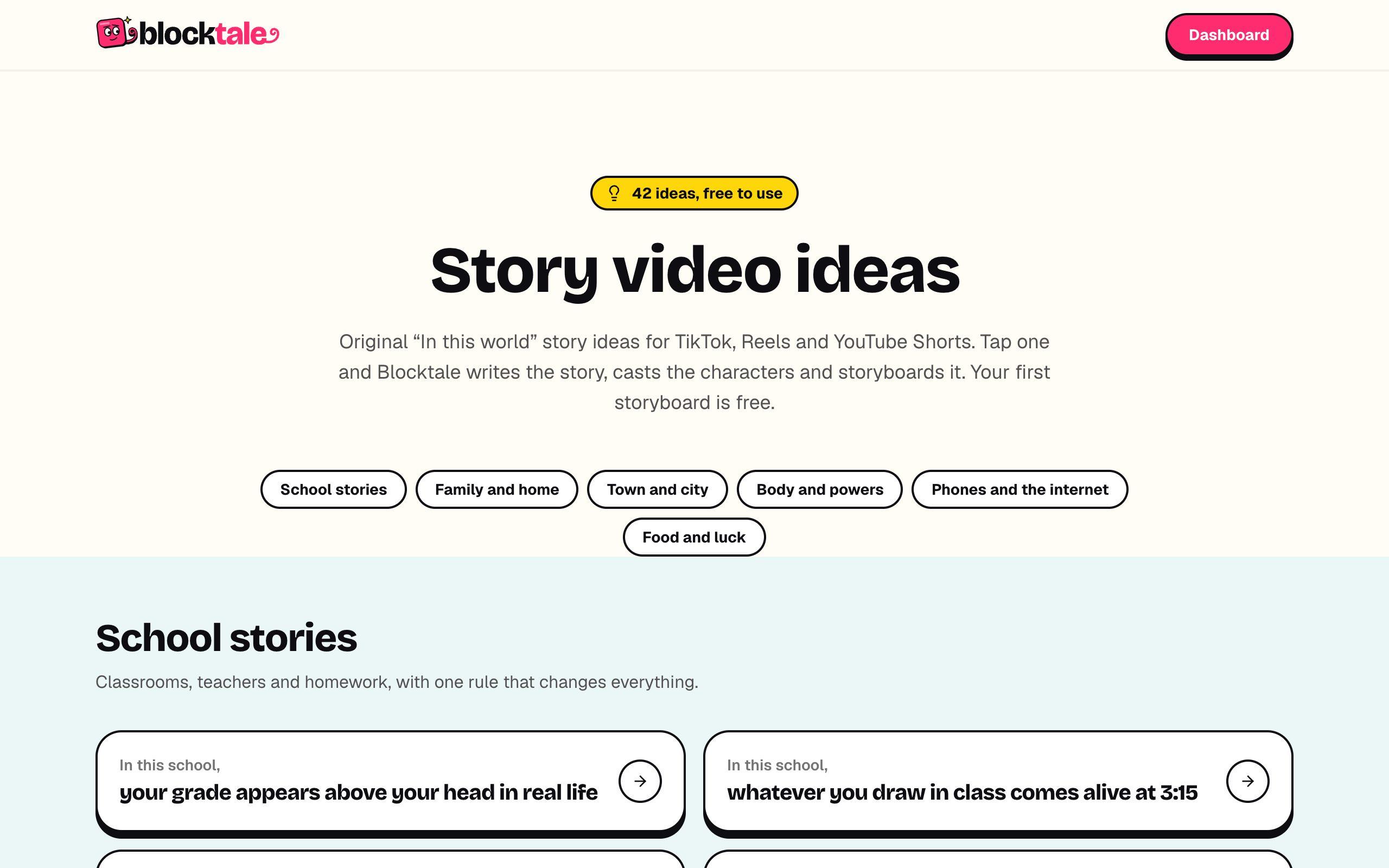
The easiest shape for an idea is "In this ___, …": a place, then a rule that shouldn't exist. "In this town, every yawn makes you float a little higher." "In this school, whatever you draw in class comes alive at 3:15." Test the idea against four questions:
- Can you see it? Floating, shrinking, turning invisible and gold teeth are visual. "Everyone is slightly sadder" isn't.
- Does it touch everyday life? Rules tied to school, family, food or phones give you easy examples, because every viewer knows those places.
- Can it get worse? If a little yawn makes you float a little, a big yawn in the longest test of the year is a story. A rule with no "more" is a one-line joke.
- Can you end it with the rule? The best payoffs flip the rule: the thing that was a problem saves the day, or catches someone else out.
Step 2: Write the script in short, visual lines
A narrated story for a 60-second video is only about 250 words. One of our 60-second scripts, "The Yawn That Lifted the Class", is 263 words. That's tight, so every line has to earn its place. Three rules help:
- One line, one picture. If you can't imagine a single shot for a line, split it or cut it. Each line will become one or two shots and one caption.
- Specific beats general. "My grandma ties herself to the sofa during movies" is funnier and easier to animate than "Old people have it hard".
- Name a few people, not many. Two or three named characters is plenty in a minute. Viewers can't track more.
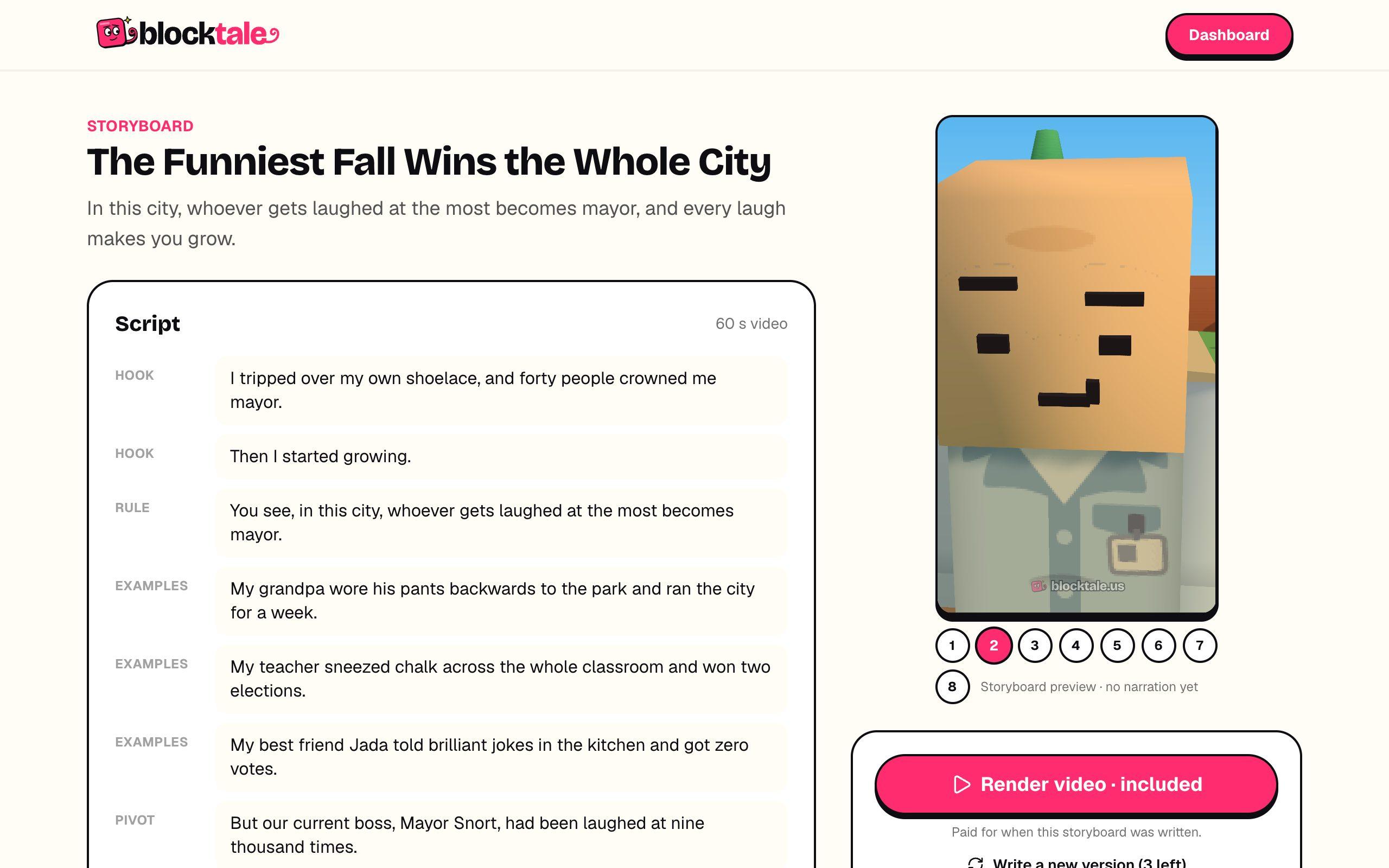
Here is the opening of a real Blocktale storyboard, written from the idea "In this city, whoever gets laughed at the most becomes mayor, and every laugh makes you grow":
| Beat | Narration |
|---|---|
| Hook | I tripped over my own shoelace, and forty people crowned me mayor. Then I started growing. |
| Rule | You see, in this city, whoever gets laughed at the most becomes mayor. |
| Examples | My grandpa wore his pants backwards to the park and ran the city for a week. My teacher sneezed chalk across the whole classroom and won two elections. My best friend Jada told brilliant jokes in the kitchen and got zero votes. |
| Turn | But our current boss, Mayor Snort, had been laughed at nine thousand times. |
If you write scripts yourself with a general AI chatbot, give it the beat list above and a word budget, and ask for short first-person lines. Then cut anything that explains a joke. Our AI story generator page covers what to look for in AI-written stories.
Step 3: Turn it into a video (walkthrough in Blocktale)
You can animate a script by hand, with stock clips, or with a tool that does the whole video. Here's the flow in Blocktale, which writes the script from one sentence and makes a blocky 3D animated video. Other approaches are compared in our guide to turning text into animated video.
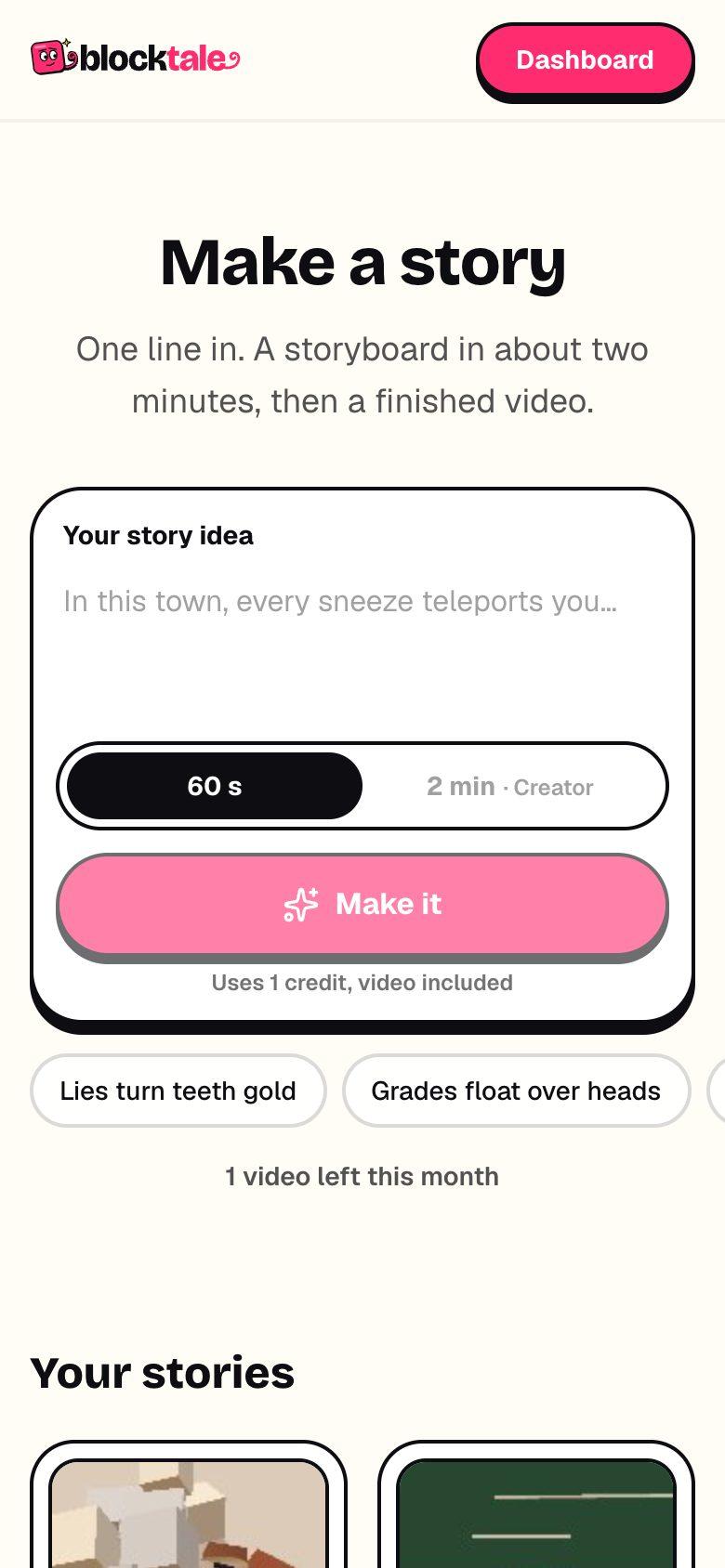
- Type the idea. On the "Make a story" page, type one sentence in the idea box and choose 60 seconds or 2 minutes (2-minute videos need the Creator or Studio plan). Press "Make it".
- Read the storyboard. In about a minute and a half (the median for stories made in the past week), you get a title, every narration line labelled by beat, and a watermarked preview of the key scenes. The cast (up to 5 characters), locations and camera angles are already chosen.
- Fix what's weak. Edit any line you want to change. This is where you apply Step 2: cut a line that explains a joke, make an example more specific. You can also pick a narrator (Leo, Mia, Sam or Ivy), or press "Write a new version" to have the whole story rewritten (up to 3 times on a paid plan, where the story's one credit covers the rewrites and the render).
- Render. Press "Render video". Blocktale records the narration, times captions to it word by word and mixes in sound effects and a music bed. Renders usually finish within about 10 minutes, and you get an email when yours is ready.
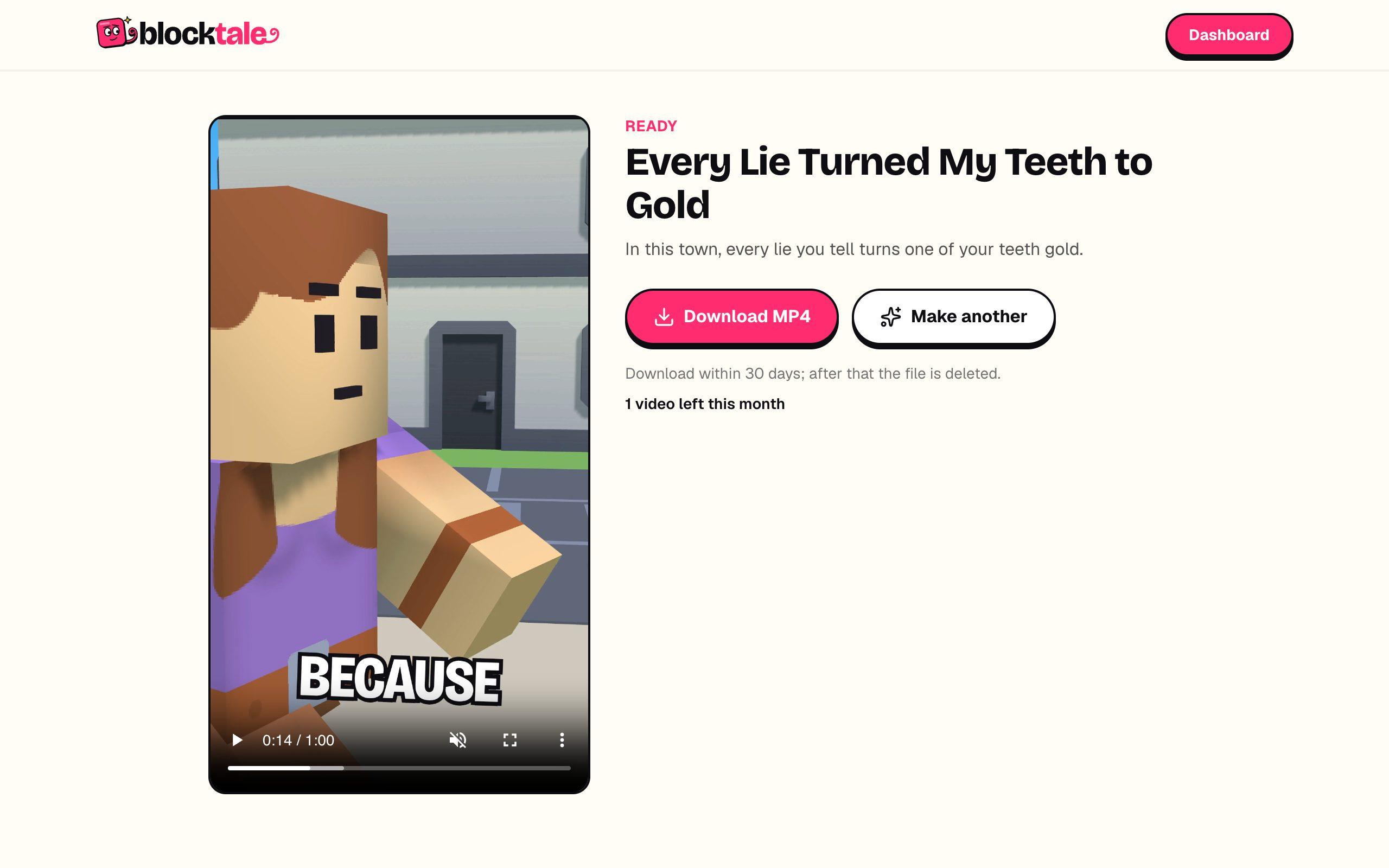
- Download. Download the 1080×1920 MP4. Files stay available for 30 days.
Step 4: Get the pacing, captions and sound right
- Cut on every line. A new shot for each narration line keeps the picture moving with the story. A shot that sits still while the voice keeps talking is where viewers swipe.
- Captions word by word, big and centred. Many people scroll with the sound low, so captions carry the story. Show a few words at a time, timed to the voice, and emphasise the key word in each line.
- Sound effects on the beats, not everywhere. A whoosh on a camera move, a pop when something appears, a thud when someone lands. If every line has a sound, none of them land.
- Music under the voice. Pick one mood (playful, mysterious or tense) and keep it quiet enough that every word of narration is clear.
- End on the payoff. Don't add a summary or "thanks for watching" after the last joke. The video should end within a second or two of the payoff line.
Step 5: Post it, then learn from it
Story videos are 9:16 vertical, which fits TikTok, Instagram Reels and YouTube Shorts. YouTube accepts Shorts up to three minutes (YouTube Help). On TikTok, the Creator Rewards Program pays for videos over a minute long (TikTok Newsroom), which is worth knowing when you choose between 60 seconds and 2 minutes.
- Write a title that teases the rule, not one that explains it. "Every lie turned my teeth to gold" works; "A story about lying" doesn't.
- Check the labels each platform asks for. YouTube asks creators to disclose realistic altered or synthetic content, and says clearly unrealistic content and animation don't need the label (YouTube Help). TikTok requires a label on AI-generated content that shows realistic-looking scenes or people (TikTok Community Guidelines). If you're unsure, labelling is the safe choice.
- Set the audience honestly. YouTube asks whether each video is made for kids, and counts animated characters that appeal to children as one factor (YouTube Help). Decide based on who the story is for.
- Read where people leave. If most viewers leave in the first seconds, fix the hook; if they leave in the middle, speed up the escalation. Change one thing per video.
- Vary the stories. Use a new rule each time, even with a recurring narrator or setting; platforms don't reward near-copies. Our faceless YouTube guide covers YouTube's rules on this.
Making one without a story video generator
You can build the same video from separate tools, trading speed for control: write the script yourself or with a chatbot, record or generate the voice, make the pictures with animation software or AI video clips, then add captions and sound in an editor. Three things to watch: AI drafts run long, so cut hard; check that your voice tool's licence allows commercial use (ElevenLabs' free plan, for example, doesn't, per its pricing page, checked 21 Nov 2026); and AI video models make short clips in which the same character can look different from shot to shot.
Questions people ask
How long should an AI story video be?
60 seconds is a good default: long enough for all six beats, short enough to keep the pace up. Go to 2 minutes when the escalation has more steps, or when you're aiming at TikTok's Creator Rewards Program, which pays for videos over a minute long.
Can I make an AI story video for free?
You can write the script for free with most chatbots, and Blocktale's first storyboard (full script plus a preview of the key scenes) is free on every account. Rendering a finished Blocktale video needs a paid plan.
Do I need to label AI story videos as AI-generated?
Both YouTube and TikTok focus their labelling rules on realistic content. YouTube says clearly unrealistic content and animation don't need its disclosure. Read each platform's current rules before posting, and label if you're unsure.